Platters
The Mix tab is Freestyle mode: two turntables, A and B, with a mixer and crossfader between them. Grab a record with the mouse and scratch it live, or map a MIDI jog wheel or fader to it.
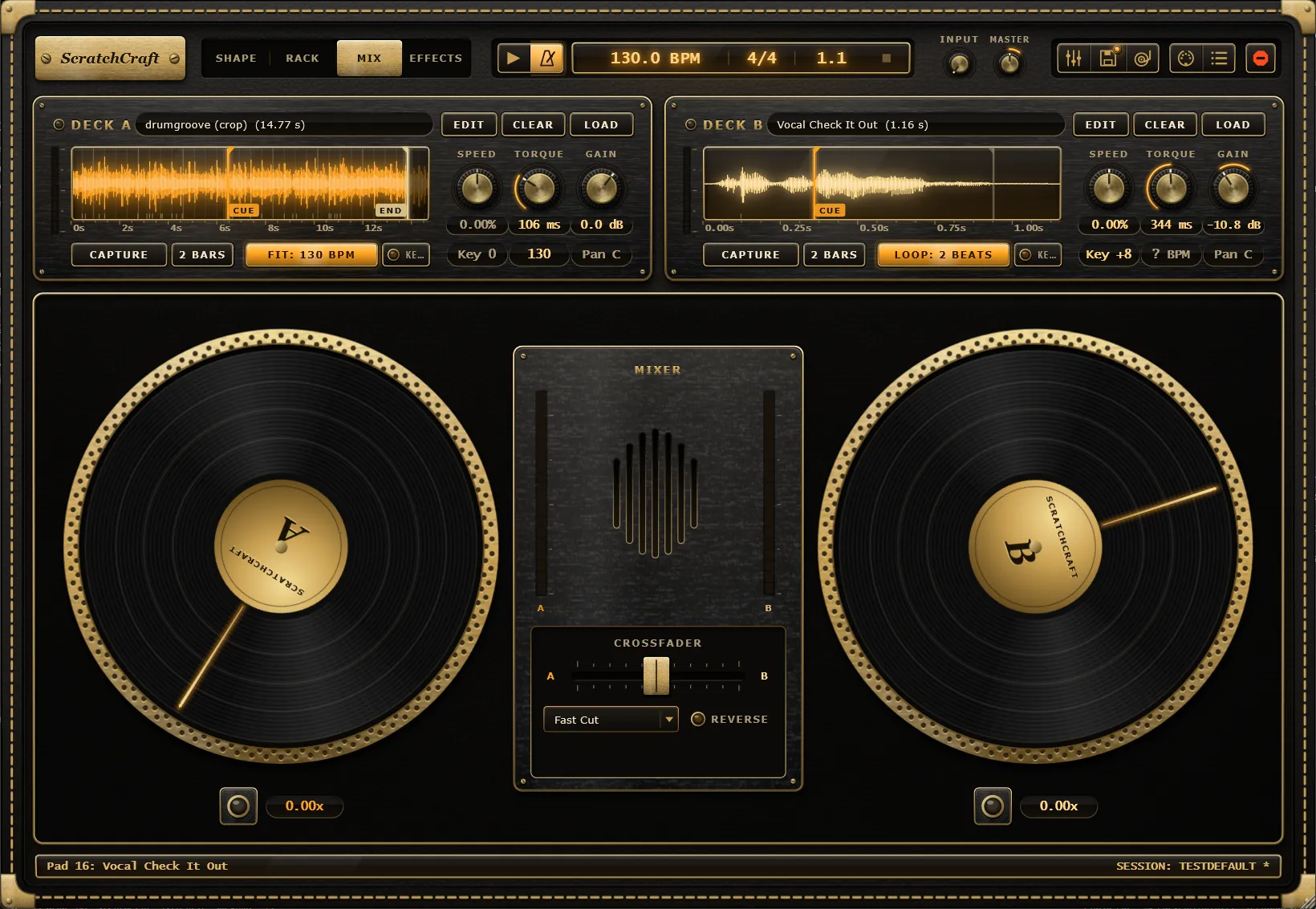
Scratching with the mouse
Section titled “Scratching with the mouse”- Click and drag on a record to move it. A glowing ring around the platter shows that your hand is on the record. Dragging forward plays the sample forward, dragging back plays it backwards, and the speed of your hand is the speed of the record.
- Hold still with the mouse button down to hold the record stopped, as a hand would.
- Let go to release it. With the motor running, the slipmat pulls the record back up to the motor’s speed. With the motor off, it coasts to rest.
The records have inertia, so even a coarse mouse or controller movement sounds like vinyl. One full turn of the record covers 1.8 seconds of the sample.
How a drag turns the record, how fast a released record catches up with the motor, how long it coasts, and how a grab on a spinning record behaves are all set in the Feel window, under PLATTER, GESTURES and GRABBING.
Motor jewel and speed readout
Section titled “Motor jewel and speed readout”Under each platter sits a large Motor jewel. Click it to arm or disarm the deck’s motor. It shows three states:
| Light | Meaning |
|---|---|
| Dark | The motor is off. |
| Red | The motor is armed but held stopped: by the stopped transport, a Brake pad, or Stop all on Hold. |
| Lit | The motor is running. |
A smaller jewel beside each deck’s name on the deck strips does the same. Both can be MIDI-learned by right-clicking them.
Next to the jewel, the speed readout shows how fast the record is turning right now, as a multiple of normal speed: 1.00x at full motor speed, 0.00x when stopped, and negative while you drag it backwards. How quickly the motor spins up and stops depends on the deck’s Torque. See Decks.
MIDI control
Section titled “MIDI control”Right-click a platter to map a controller to it. A platter offers three targets:
- Jog wheel / encoder: a relative jog wheel or encoder that turns the record.
- Scratch fader / knob: an absolute control that sets the record’s position around the cue.
- Platter touch: a button or touch sensor that puts your hand on the record while held.
See Jog wheels and MIDI Learn.
Recording a scratch as automation
Section titled “Recording a scratch as automation”Each deck exposes two host parameters for its platter: Deck A Touch / Deck B Touch (your hand is on the record) and Deck A Scratch / Deck B Scratch (where the record is, within one revolution either side of the cue). When you drag a platter, ScratchCraft writes both, so your host can record a Freestyle scratch as automation. When the automation plays back, Touch on makes the deck follow Scratch.
This only works for drags that start within one revolution of the cue point, since that’s the reach of the Scratch parameter.